

What to check before playing on mobile
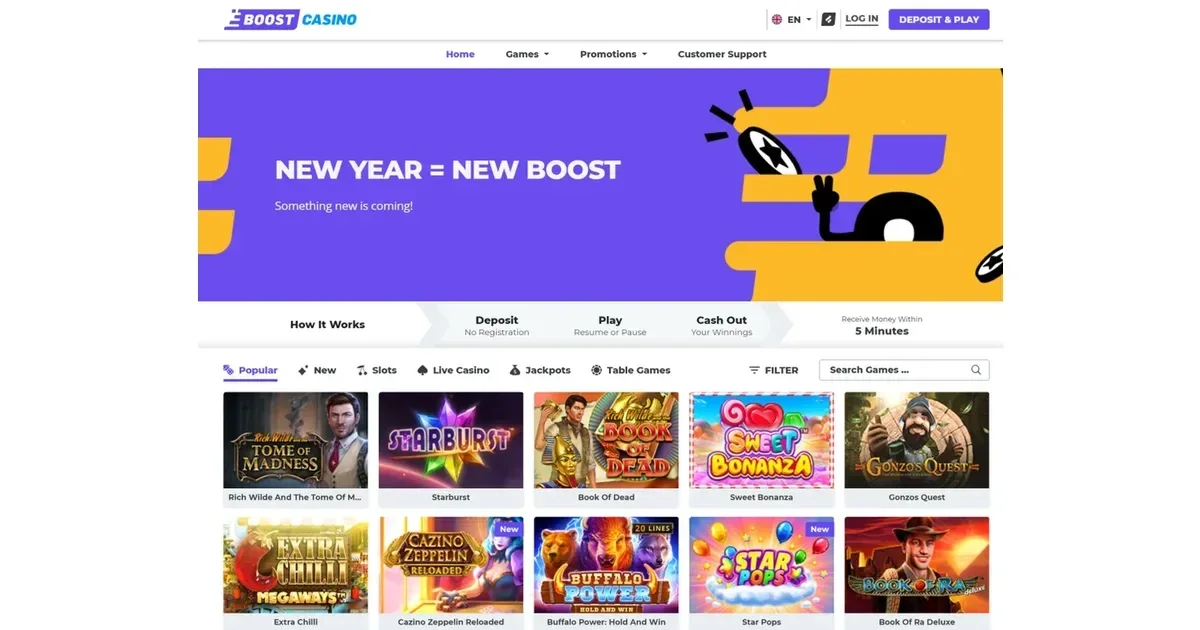
Boost runs entirely in your phone's browser, with no native app required. That means Safari, Chrome or Firefox on any device – the same account you use on desktop, the same games and the same cashier. Before you start a session, three things matter: a stable connection, the operator's correct address typed or bookmarked (not a search result that might mislead), and any deposit or time limits you want set before the session begins rather than during it.
A phone you always carry makes it easier to play anywhere, which is exactly why setting boundaries beforehand matters. Lock in a deposit ceiling or a session reminder at the operator's own responsible-gambling controls, and they'll apply whether you're at home or waiting for a bus. 18+ only – and if the device is shared with anyone under 18, parental-control software such as Net Nanny or Qustodio keeps the site out of reach.
How access works at Boost
Open your mobile browser, navigate to the operator's site, and log in with the credentials you already have. Registration from a phone works the same way it does on a laptop – email, password, date of birth, and you're in. There is no iOS or Android app to download, no APK, no QR code. Everything happens in the browser window.
That simplicity cuts both ways. You skip the app-store approval wait and the version-update notices, but you also lose the home-screen icon and the push notifications some players expect. For quick access, bookmark the site or save it to your home screen through your browser's own "Add to Home Screen" option – it opens full-screen and looks much like an app, without actually being one.
The cashier and support on a phone
Deposits and withdrawals at Boost work through the same methods on mobile as on desktop: Trustly, Zimpler, SEB, Swedbank, LHV and Luminor. The minimum deposit is €10, rising to €20 if you want the welcome bonus. The cashier loads in the same browser tab, and the operator's Pay N Play integration means instant deposits without manual registration – your bank credentials serve as both identity check and payment authorisation.
Withdrawals follow the same route. The €100,000 monthly ceiling applies regardless of where you make the request, and e-wallet or bank transfers clear in 0–5 minutes when everything is verified. Live chat and email support are both accessible from the mobile menu – tap the support icon, pick your channel, and the interface adapts to the screen size without losing functionality.
| Payment method | Minimum deposit | Withdrawal time |
|---|---|---|
| Trustly, Zimpler | €10 | 0–5 minutes |
| SEB, Swedbank, LHV, Luminor | €10 | 0–5 minutes |
What gets cramped on a small screen
Game lobbies shrink. On a desktop monitor you see a grid of twenty or thirty tiles at once; on a phone you're scrolling past six or eight at a time, which makes browsing slower. Filters help – provider, volatility, theme – but the narrow viewport still means more taps to find what you want. Live dealer tables fare worse: the video feed, the betting interface and the chat box all compete for the same rectangle, and some tables simply crop the edges rather than scale the layout.
Customer support opens in a pop-up that can cover half the screen, forcing you to close it to check your balance or a bonus term while you're mid-conversation. Multi-tabling is impossible – one game fills the view, and switching between them means backing out to the lobby each time. For single-session play on a commute, none of this matters. For anything more involved, the desktop layout gives you more room to breathe.
A short checklist before you play
- Check your connection. A dropped 4G signal mid-spin won't void the bet, but it will interrupt the session and you'll reconnect to a result screen rather than watching the round finish.
- Bookmark the operator's real address. Search results can surface lookalike domains; typing the URL yourself or saving it after the first visit prevents that risk.
- Set your limits before you open a game. The operator's deposit caps and session reminders apply across devices, but adjusting them while a slot is spinning is awkward on a small screen.
- Sign out when you're done, especially on a shared device. Browser tabs stay open for hours, and "remember me" checkboxes mean the next person who opens that tab has access to your account.
- Keep your phone charged. A long session drains the battery faster than casual browsing, and a device that dies mid-withdrawal leaves you guessing whether the request went through.
Responsible gambling
Gambling should be entertainment, not something you feel you have to do. Playing from a device you always carry makes it easier to slip into more frequent sessions than you planned, which is why setting limits before you start – deposit ceilings, time reminders, session breaks – matters more on mobile than anywhere else. Boost operates under an Estonian Tax and Customs Board (EMTA) licence, and the operator's own self-exclusion tools let you step back when you need to.
If gambling stops feeling like fun, free confidential support is available through GamCare (National Gambling Helpline: 0808 8020 133, free, 24/7) and BeGambleAware. GamStop provides free national self-exclusion across licensed sites, and blocking software such as Gamban or BetBlocker works across all your devices. You must be 18 or over to access this content.
This page is for information and marketing purposes only. We are not a casino operator, a bookmaker or an organiser of gambling. Access to this content is restricted to persons aged 18 and over (18+). We encourage you to gamble responsibly – for free, confidential support visit BeGambleAware.org.